SMILES to MOL2
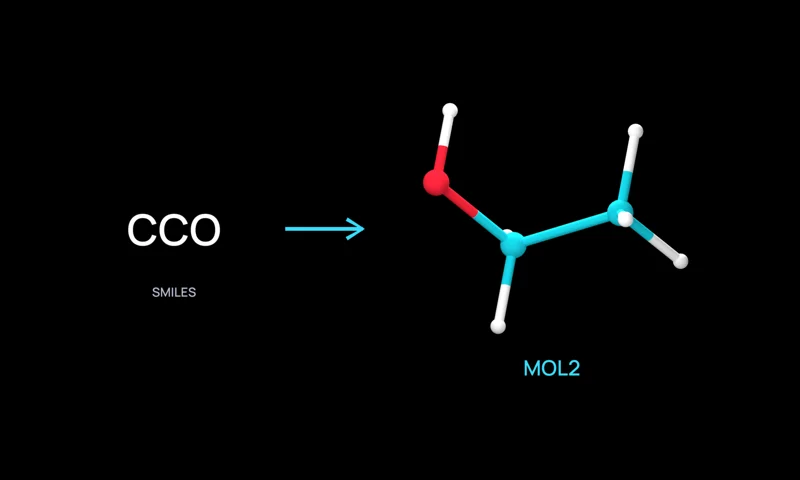
Generate bulk 3D MOL2 structures from SMILES.
Overview
Generate individual 3D MOL2 files from a batch of SMILES strings for docking, scoring, and molecular modeling workflows. Optionally include explicit hydrogens and optimize geometry before download.
Run SMILES to MOL2 on Neurosnap
The SMILES to MOL2 online webserver allows anybody with a Neurosnap account to run and access SMILES to MOL2, no downloads required. Information submitted through this webserver is kept confidential and never sold to third parties as detailed by our strong Terms of Use and Privacy Policy.
Features
- Accepts pasted SMILES or a TXT, SMI, SMILES, or CSV file.
- Generates 3D conformers with RDKit ETKDG and optional MMFF94 or UFF optimization.
- Optionally includes explicit hydrogens in the MOL2 output.
- Downloads one MOL2 file per molecule in a ZIP archive.
Statistics
Neurosnap periodically calculates runtime statistics based on job execution data. These estimates provide a general guideline for how long your job may take, but actual runtimes can vary significantly depending on factors like input size or settings used.
| Statistic | Value |
|---|---|
| Credit Usage Rate | loading... |
| Estimated Total Cost | loading... |
| Runtime Mean | loading... |
| Runtime Median | loading... |
| Runtime Standard Deviation | loading... |
| Runtime 90th Percentile | loading... |
| Runtime Longest | loading... |
API Request
Access SMILES to MOL2 using the Neurosnap API by sending a request using any programming language with HTTP support. To safely generate an API key, visit the API tab of your overview page.
Similar Tools
Explore tools with similar features, categories, and use cases.
Citations
Please cite the original work when using SMILES to MOL2 in publications or research outputs.
|
Amani, Keaun, and Danial Gharaie Amirabadi. 2024. Neurosnap SDK Package. Software. https://github.com/NeurosnapInc/neurosnap. |
|
Neurosnap Inc. (2022). Neurosnap: An online platform for computational biology and chemistry. Available at: https://neurosnap.ai/ |